

Design & SimulationApril 18, 2024 · Taherah KUHL
Virtual Twins: Not just for manufacturing anymore…

ManufacturingApril 17, 2024 · Prashanth Mysore
Unearthing Enhanced Efficiency in the Mining Industry

Latest articles
Discover our most recent posts across all industries, brands and topics.

Celebrating Earth Day 2024
The primary goal of Earth Day is to raise awareness about the importance of preserving our planet’s natural resources and promoting sustainability. It’s a day for individuals, communities, and organizations worldwide to participate in activities and initiatives that contribute to environmental conservation.

Navigating Complexities of Radar Vehicle Integration Leveraging Electromagnetic Simulation
Please welcome guest blogger, Yadhukrishnan MK, of Continental AG as he talks about radar simulation in advanced driver assistance systems.
What is ERP?
Are you new to the manufacturing, operations or supply chain sector? A recent hire or student? Or maybe you’re someone who simply wants a refresh on the basics of the industry. If so, then you’ll want to read DELMIA’s new blog series, amply titled, “Back to Basics.” The series focuses on a myriad of topics, answering the most basic of questions. Check it out!
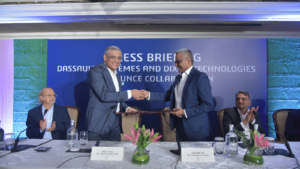
[Press Release] Dixon Technologies India Signs MoU with Dassault Systèmes to Optimize its Global Manufacturing Operations
This partnership aims to revolutionize the way products are designed, produced and delivered to markets around the world.
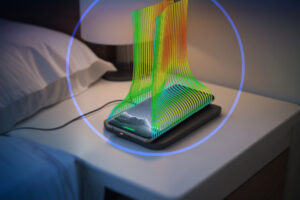
Why the High-Tech Industry Needs Multiphysics Simulation
The High-Tech industry is fast-moving and constantly reinventing itself in the face of trends such as wearables, VR/AR, private wireless networks and 5G and the coming 6G. Manufacturers face considerable challenges if they want to stay ahead of these trends and remain competitive. We spoke to several SIMULIA High-Tech industry specialists about the challenges of modern electronic design and how modeling and simulation (MODSIM) with a multiphysics approach is allowing leading manufacturers to tackle them.
The ultimate guide to cloud digital transformation in 2024
Discover how digital transformation using cloud computing and cloud-based tools can help organizations stay at the forefront of innovation and grow in value.
Pioneering the Future of Systems Engineering
In the evolving landscape of systems engineering, a spotlight is cast on the innovative practices of model-based systems engineering (MBSE). Specialized firms like Samares Engineering, with a decade-long legacy, lead the charge in adopting MBSE to address the industry’s multifaceted challenges
Empowering Drug Discovery with Machine Learning Workbench
Machine Learning Workbench is a cutting-edge, no-code application designed for data scientists and computational scientists working in the life sciences field. It offers a streamlined, intuitive solution for creating ML models and training pipelines on the 3DEXPERIENCE® platform.
Explore our topics
Discover stories on key trends that are transforming the business and social landscape.
Company News
Keep up with the latest happenings at Dassault Systèmes.
[Press Release] Dixon Technologies India Signs MoU with Dassault…
This partnership aims to revolutionize the way products…
The ultimate guide to cloud digital transformation in…
Discover how digital transformation using cloud computing and…

Using virtual twins to create an immersive review…
By adopting the 3DEXPERIENCE platform to generate a…

Introducing the MEDITWIN project
In honor of World Health Day 2024, learn…

Putting health in the spotlight
For World Health Day 2024, the World Health…
Design & Simulation
Today’s challenges are being met with innovative design and manufacturing and improve through simulation.

The Secret Behind Smart Home Product Development: platform-based…
Consumers shopping for home products notice the common…
Navigating Complexities of Radar Vehicle Integration Leveraging Electromagnetic…
Please welcome guest blogger, Yadhukrishnan MK, of Continental…
Virtual Twins: Not just for manufacturing anymore…
Explore how financial services organizations can use Virtual…
Why the High-Tech Industry Needs Multiphysics Simulation
The High-Tech industry is fast-moving and constantly reinventing…

Optimizing Magnet Design with Melike Abliz of Argonne…
SIMULIA is delighted to work with engineering leaders…
Editor’s picks
Explore our favorite stories

Manufacturing
It’s Fall Festival Time! Is Your Supply Chain…
Many event planners and teams focused on the supply chain may also wonder about possible…

Manufacturing
Decoding with Artificial Intelligence and Augmented Reality
New technologies offer considerable opportunities and advantages to industrial players seeking to adapt to the…
Company News
How green is your car?
The way a car’s environmental performance is measured is changing. One German engineering services provider…

Company News
How one company is leading a revolution in…
With a novel approach to reconstructive surgery, LATTICE MEDICAL is helping to shape the next…
Manufacturing
Virtual Twins for Industrial Robotics
While 34% percent of today’s biggest companies have committed to zero-emissions goals, 93% will miss…

Company News
What will healthy mean in 2040?
A new vision emerges for the convergence of life sciences innovation with global healthcare, into…

Design & Simulation
Ask an Engineer: What is Machine Learning and…
An interview with SIMULIA’s Jing Bi, a Technology Senior manager who specializes in physics-based simulation…
Latest articles from brands
Learn more about our portfolio of 3D modeling applications, simulation applications creating virtual twins, social and collaborative applications, and information intelligence applications.

The Dassault Systémes Marketing and Sales brand 3DEXCITE provides comprehensive solutions for collaboration and 3D product content creation directly from a secure cloud network, the 3DEXPERIENCE® platform.

Design & Simulation
AI Image Recognition: The All Seeing Eye

BIOVIA is the world’s leading solution for product design and experience. It delivers the unique ability not only to model any product in 3D but to do so in the context of the products real life behavior.

CATIA provides product design and experience capabilities for designers, engineers and system architects to conceive, develop and realize the connected products and experiences we see and use in our everyday lives.

Powered by Dassault Systèmes’ 3DEXPERIENCE platform, DELMIA solutions address the most challenging situations manufacturers experience today. We connect the virtual and real worlds with immersive technology to empower our customers worldwide to collaborate, model, optimize, and execute manufacturing, logistics, and service across an efficient and connected supply chain.
Manufacturing
Celebrating Earth Day 2024

ENOVIA provides enterprise planning, IP management, process governance, and collaborative product development capabilities for multi-disciplinary teams to collaboratively build and execute a successful plan across the entire enterprise.


GEOVIA provides modelling, designing, simulation and monitoring for geoscientists, earth engineers, urban planners and citizens to enable the sustainable use and reuse of natural resources across urban environments and the broader infrastructure sector.
Sustainability
From Mining Data to Mining Intelligence

NETVIBES provides data science capabilities that reveal information intelligence for all business users to gain business insights that drive performance.


SIMULIA provides realistic multiphysics simulation, design exploration, and optimization capabilities for designers, engineers and researchers to virtually test, improve and validate their innovations for performance, safety and consumer experiences while reducing cost and time to market.
Stay up to date